
Premium Signals Setup
How to set up AlgoAlpha's crypto scalping and swing signals, including Discord configuration and Echo automation.
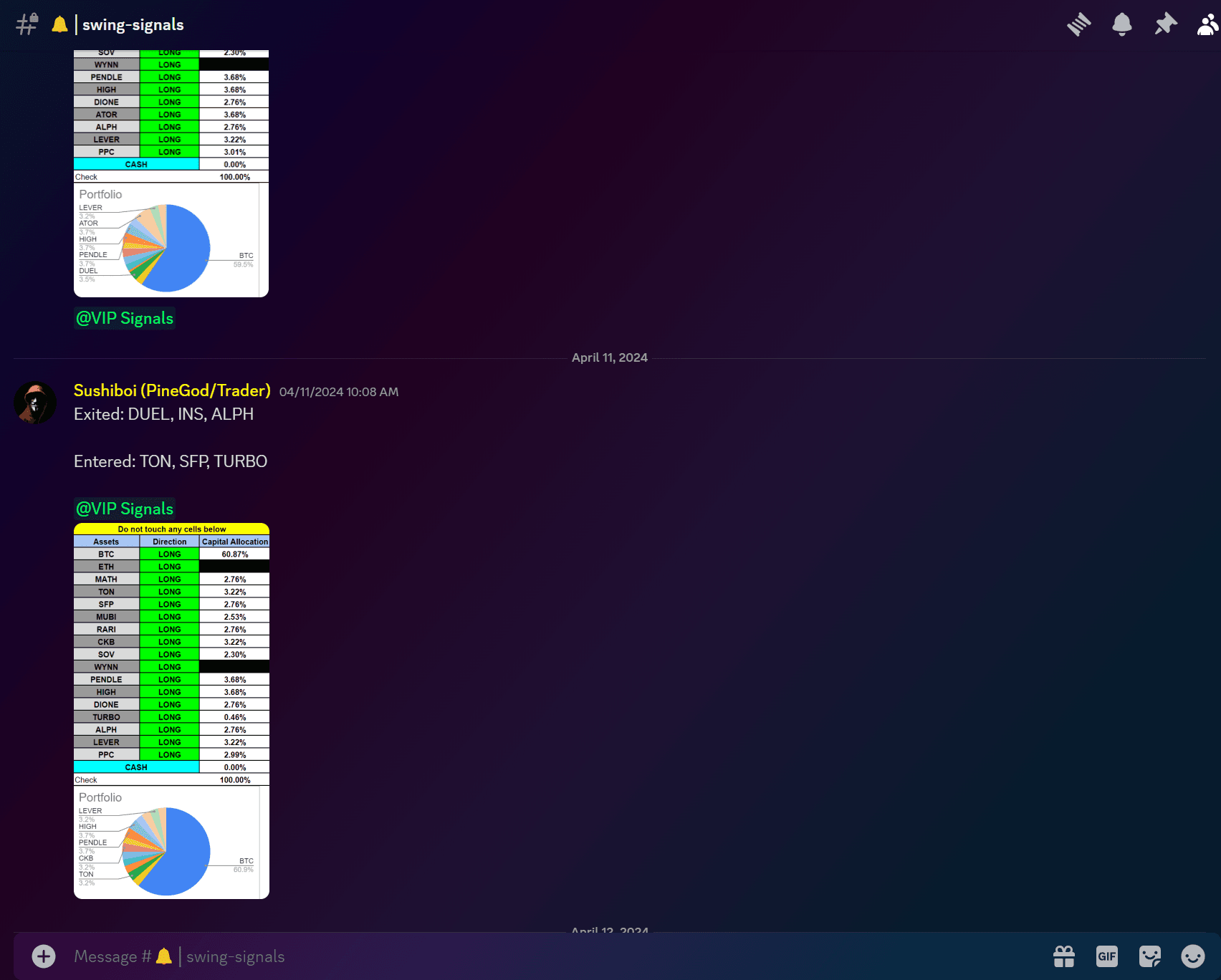
AlgoAlpha delivers two types of algorithmically-generated crypto trading signals through Discord: Scalping Signals for intraday BTC/USDT trades, and Swing Signals for multi-asset portfolio management. Both can be executed manually or automated through Echo.
Signal Types at a Glance
| Feature | Scalping Signals | Swing Signals |
|---|---|---|
| Market | BTC/USDT | Multi-asset crypto |
| Hold period | Intraday | Multi-day to multi-week |
| Risk/reward | 1:1.5 on every trade | Portfolio allocation % |
| Delivery | Discord alerts 24/7 | Discord with daily rebalance at 0030 UTC |
| Echo exchanges | Bybit, Binance, Bitget | Binance, MEXC |
| Included in | Signals Plan, VIP Bundle | Signals Plan, VIP Bundle |
Step 1: Activate Your Subscription
Before receiving signals you need an active Signals Plan or VIP Bundle subscription. Visit the pricing page and complete checkout. You will receive a confirmation email with next steps.
Step 2: Join the AlgoAlpha Discord
All signals are delivered through Discord. After purchasing:
- Open the invite link included in your confirmation email
- Connect your subscription to the Discord bot when prompted
- Verify your account in the verification channel
Once verified, the bot grants access to the premium signal channels automatically.
Step 3: Enable Notifications
To make sure you never miss a signal:
- Right-click the signal channel (e.g.,
#scalping-signals) - Select Notification Settings
- Set to All Messages
- Ensure Discord mobile push notifications are enabled in your phone settings
Step 4: Understand the Signal Format
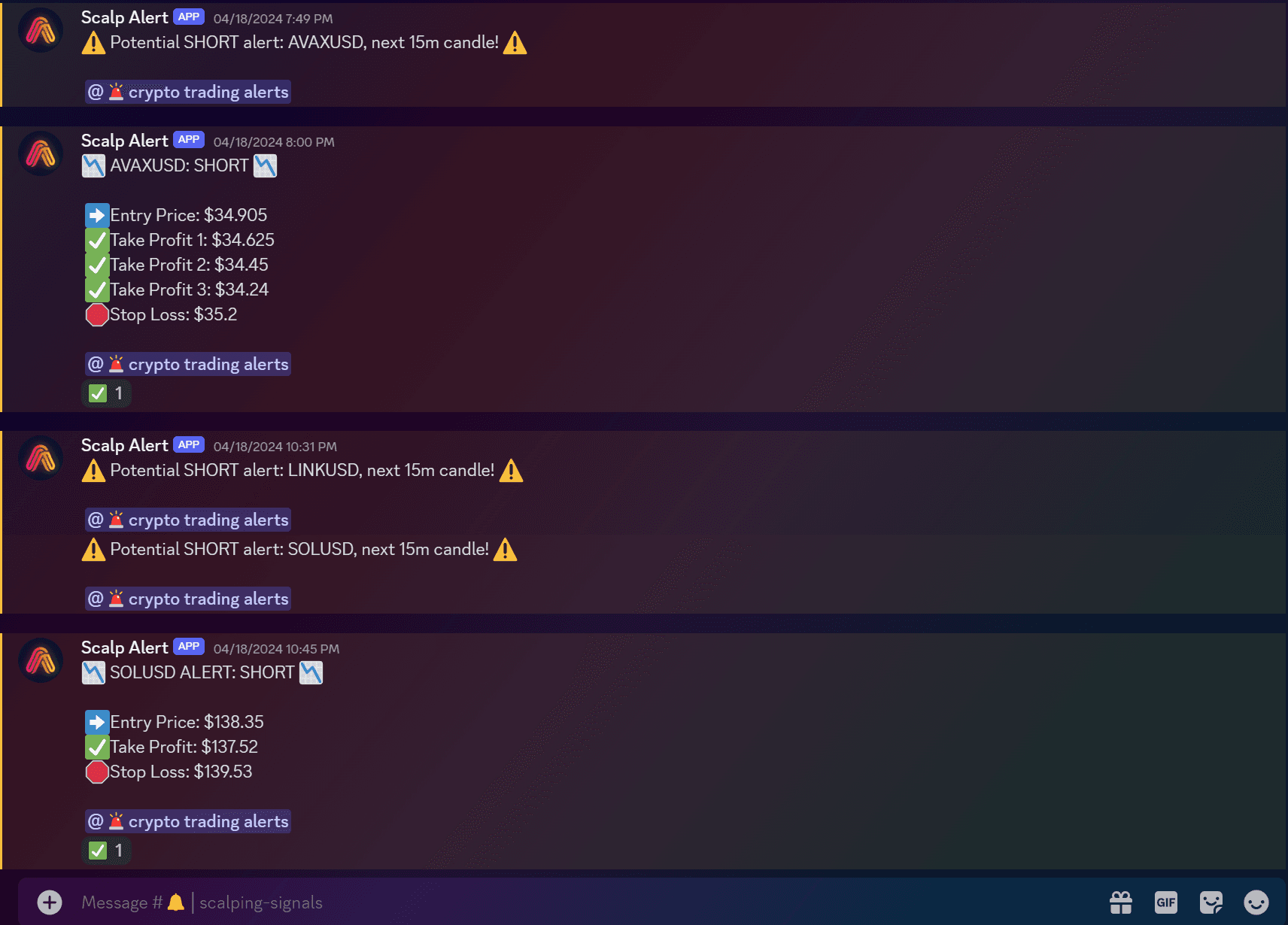
Every signal arrives as a Discord embed containing:
- Direction -- Long or Short
- Entry price -- the exact price to open the trade
- Take profit (TP) -- the target exit price
- Stop loss (SL) -- the maximum-risk exit price
- Risk/reward ratio -- always 1:1.5 for scalping signals
Swing signals use a different format that specifies the asset, direction, and portfolio allocation percentage for each position.

Step 5 (Optional): Set Up Echo Automation
If you want trades executed automatically on your exchange, configure Echo. This requires the VIP Bundle.
- Navigate to the Echo setup channel in Discord
- Select your exchange (Bybit, Binance, Bitget for scalping; Binance, MEXC for swing)
- Enter your API key and secret -- use trade-only permissions with no withdrawal access
- Set your preferred stablecoin (USDT) and order type
- Confirm activation
See the dedicated Echo guides for detailed setup:
Recommended Account Size
A minimum of $1,000 in your exchange account is recommended for smooth operation with Echo. Smaller accounts may encounter issues with minimum order sizes and position rounding.
Important Notes
- Keep the Echo-connected account dedicated to signals only. Do not place manual trades on the same account, as the automated rebalance may close positions it does not recognise.
- Signals are generated algorithmically, not by human analysts. They use multi-timeframe analysis, liquidity mapping, and confluence filtering.
- AlgoAlpha signals are analytical tools, not financial advice. Past performance does not guarantee future results.
Next Steps
- Scalping Signals -- learn how the intraday BTC signals work
- Swing Signals -- learn about the portfolio rebalancing approach