
Echo Guide — Swing Trading
How to set up Echo automated portfolio rebalancing for AlgoAlpha's swing trading signals on Binance or MEXC.
Echo for swing trading works differently from scalping automation. Instead of executing individual trades, Echo manages your entire portfolio by automatically rebalancing your spot holdings to match the latest swing signal allocations each day at 0030 UTC.
Supported Exchanges
| Exchange | Account Type | Position Types |
|---|---|---|
| Binance | Spot | Long only |
| MEXC | Spot | Long only |
Short positions are not yet automated through Echo for swing signals. Any short allocations in the swing portfolio must be opened manually using a futures account.
Prerequisites
Before setting up Echo for swing trading:
- An active VIP Bundle subscription
- A funded spot account on Binance or MEXC with at least $1,000 USDT recommended
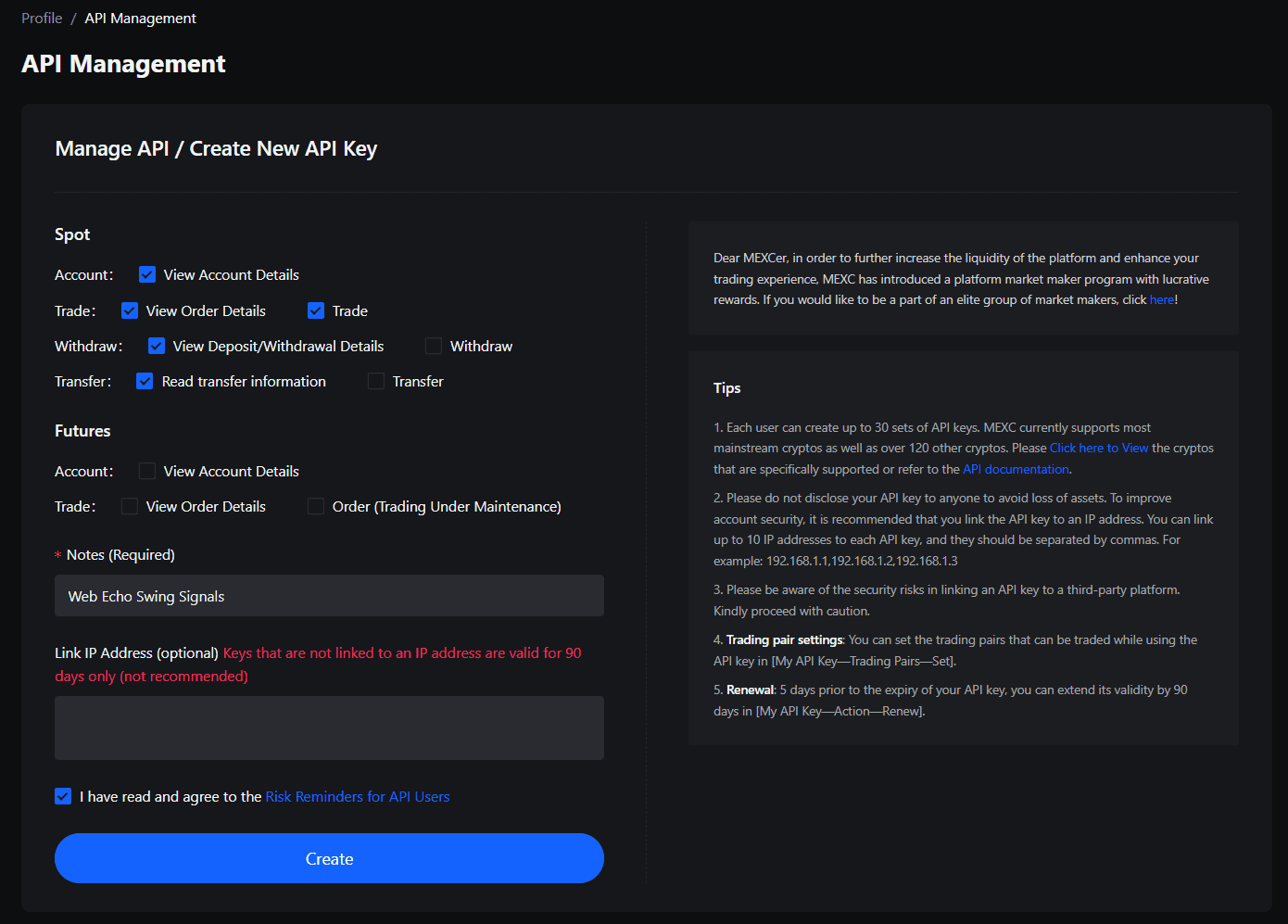
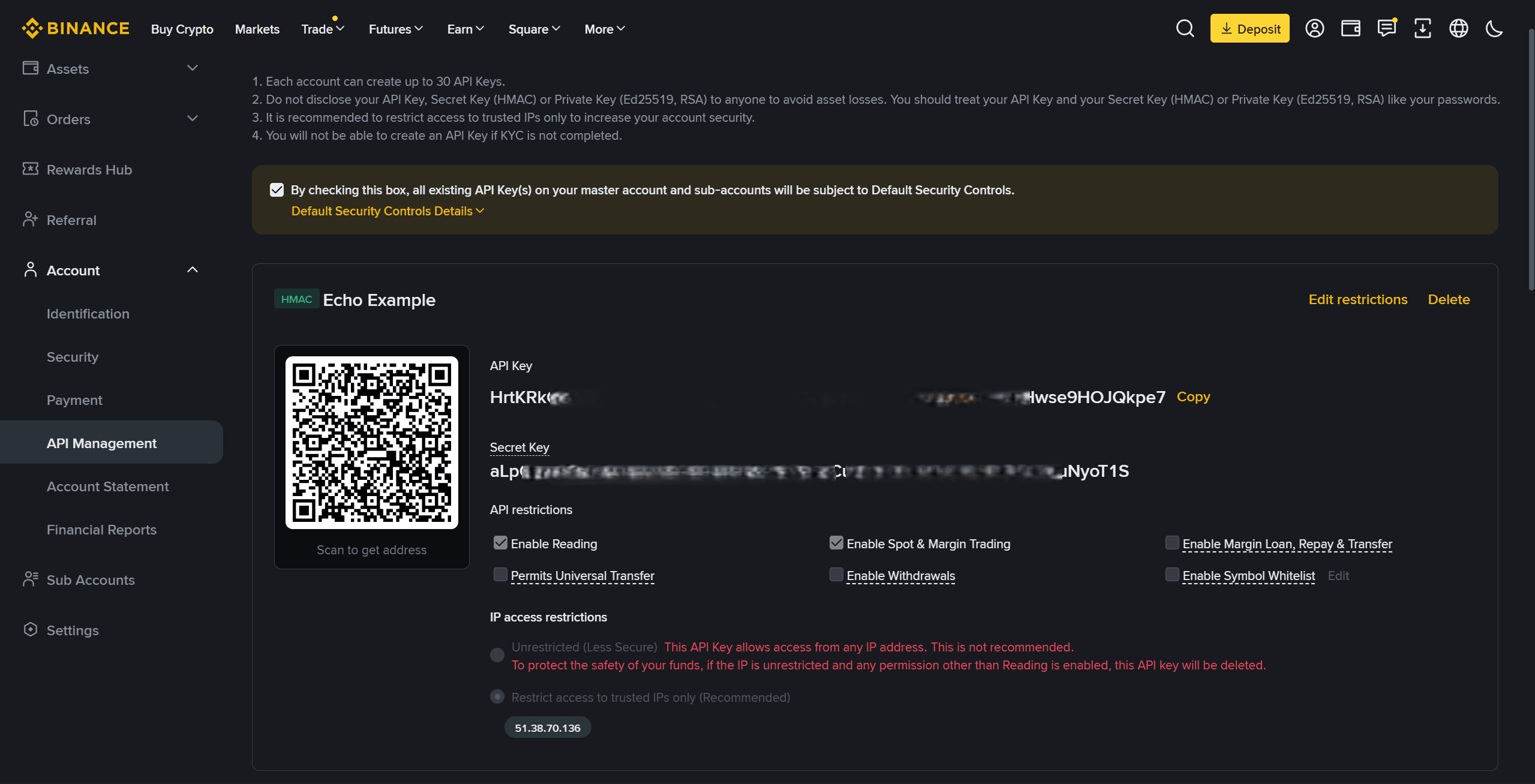
- API credentials with spot trading permissions only -- do not enable withdrawal access
Step-by-Step Setup
1. Create API Keys
On your chosen exchange, generate a new API key pair:
- Enable: Spot trading
- Disable: Withdrawal, futures trading, margin trading, and all other permissions
Store the key and secret in a safe location.
2. Open Echo Configuration
Navigate to the Echo setup channel in the AlgoAlpha Discord server and select the swing trading configuration option.
3. Enter Connection Details
| Field | Value |
|---|---|
| Exchange | Select Binance or MEXC |
| API Key | Your exchange API key |
| API Secret | Your exchange API secret |
| Stablecoin | USDT |
4. Confirm and Activate
Review your settings and activate Echo. The system will test the API connection and display a status indicator showing whether the link is active.
How the Daily Rebalance Works
Each day at 0030 UTC:
- The swing algorithm publishes updated portfolio allocations (assets, directions, percentages)
- Echo compares the new allocation to your current spot holdings
- Echo sells positions that are no longer in the portfolio or have reduced allocation
- Echo buys new positions or increases allocation where the signal indicates
- Your portfolio is now aligned with the latest swing signal
This process runs automatically every day without any manual input required.
Key Limitations
- Long positions only -- Echo handles spot purchases and sales. Short positions require a separate futures account and manual execution.
- Dedicated account required -- do not trade manually on the same account. Echo will exit any positions at 0030 UTC that do not match the current signal allocation.
- Minimum account size -- $1,000 is recommended. Smaller accounts may encounter minimum order size restrictions on some assets.
Manual Rebalancing (Without Echo)
If you prefer to manage swing signals manually instead of using Echo:
- Check the updated allocation posted in the swing signals Discord channel at 0030 UTC
- Compare it to your current holdings
- Use the provided rebalancing template to calculate the required trades
- Execute the buy and sell orders on your exchange
For short positions, open them on a futures account following the allocation percentages specified in the signal.
Troubleshooting
If Echo fails to rebalance or shows an error status, consult the Echo Debugging Guide.