
Backtest Strategy Builder
Overview of the Strategy Builder — a no-code backtesting engine for TradingView that lets you combine AlgoAlpha signals with AND/OR logic and run full P&L simulations.
The Backtest Strategy Builder is a no-code strategy building and backtesting tool built directly into TradingView. It allows you to combine signals and conditions from any AlgoAlpha indicator using visual AND/OR logic, then run a historical simulation to evaluate the strategy's performance with a full profit-and-loss report.
What the Strategy Builder Does
Traditional backtesting requires Pine Script programming skills. The Strategy Builder eliminates that barrier by providing a visual interface where you:
- Define entry conditions — Select which AlgoAlpha signals trigger a long or short entry
- Define exit conditions — Choose when positions are closed (take profit, stop loss, signal-based exit, or time-based exit)
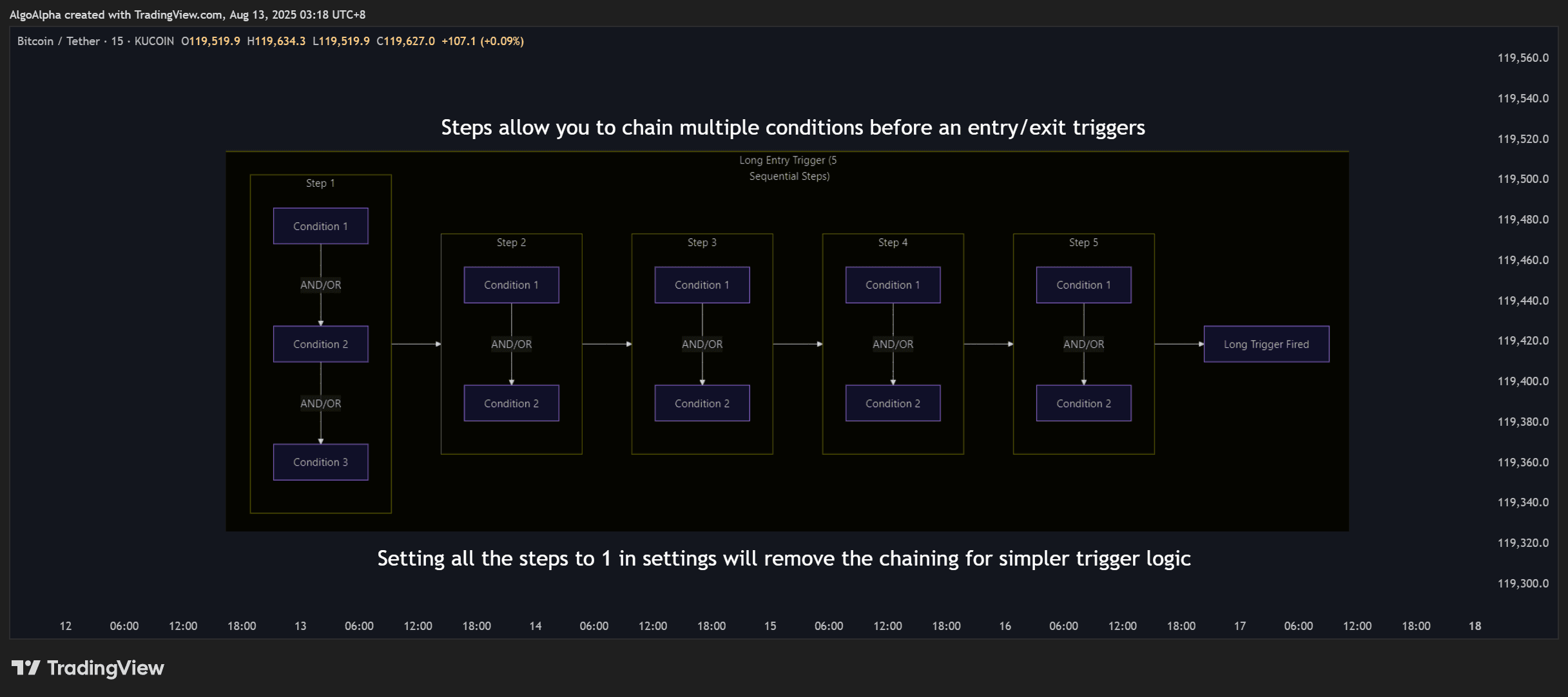
- Combine with logic — Use AND/OR operators to require multiple conditions or accept any single trigger
- Run the backtest — Simulate the strategy across historical data and view detailed performance metrics
Key Capabilities
| Feature | Description |
|---|---|
| Visual strategy builder | No Pine Script required — configure everything through the indicator settings panel |
| AND/OR logic | Combine multiple entry and exit conditions with boolean logic operators |
| Full P&L reporting | Net profit, gross profit/loss, win rate, maximum drawdown, Sharpe ratio, profit factor, and more |
| Leverage simulation | Supports cross-margin and isolated-margin modes with configurable leverage levels |
| Liquidation modeling | Simulates liquidation events when leveraged positions exceed margin thresholds |
| Slippage and commission | Input realistic trading costs to avoid overfitting to unrealistic results |
| Multi-indicator support | Use signals from Smart Signals Assistant, ILPAC, and Momentum Concepts as conditions |
How It Works
The Strategy Builder operates as a TradingView strategy script (not just an indicator). This means TradingView's built-in strategy tester processes the trades and generates the performance report.
When you add the Strategy Builder to your chart:
- It reads signals from other AlgoAlpha indicators on the same chart
- Your configured entry/exit conditions determine when trades are opened and closed
- TradingView simulates each trade across the historical data visible on your chart
- The Strategy Tester tab (at the bottom of TradingView) displays the performance report
You need to have the source AlgoAlpha indicators (SSA, ILPAC, or Momentum Concepts) on the same chart for the Strategy Builder to read their signals. The Strategy Builder itself does not generate signals — it combines and backtests them.
Who Is It For?
- Traders who want to validate ideas — Test whether a signal combination is profitable before risking real capital
- Non-programmers — Build strategies without writing a single line of code
- Risk managers — Evaluate maximum drawdown, Sharpe ratio, and other risk metrics before deploying a strategy
- Systematic traders — Define precise, repeatable rules and verify their historical performance
Getting Started
- Add the AlgoAlpha indicators you want to use (SSA, ILPAC, and/or Momentum Concepts) to your chart
- Add the Backtest Strategy Builder from TradingView's Invite-only scripts tab
- Open the Strategy Builder settings and configure your entry and exit conditions
- Review the Strategy Tester results in TradingView's bottom panel
- See the How to Use guide for step-by-step instructions