
Smart Exits
How to use Smart Exit signals to manage and close positions.
Smart Exits complement the entry signals by providing recommended exit points for open positions. Rather than relying on fixed take-profit levels, Smart Exits adapt to changing market conditions.
How Smart Exits Work
The Smart Exit algorithm monitors your position direction and detects conditions that suggest the move is losing momentum or reversing. When these conditions are met, an exit signal appears on the chart.
Exit signals are displayed as diamond or cross markers near the price bars, indicating that it may be time to close or reduce your position.
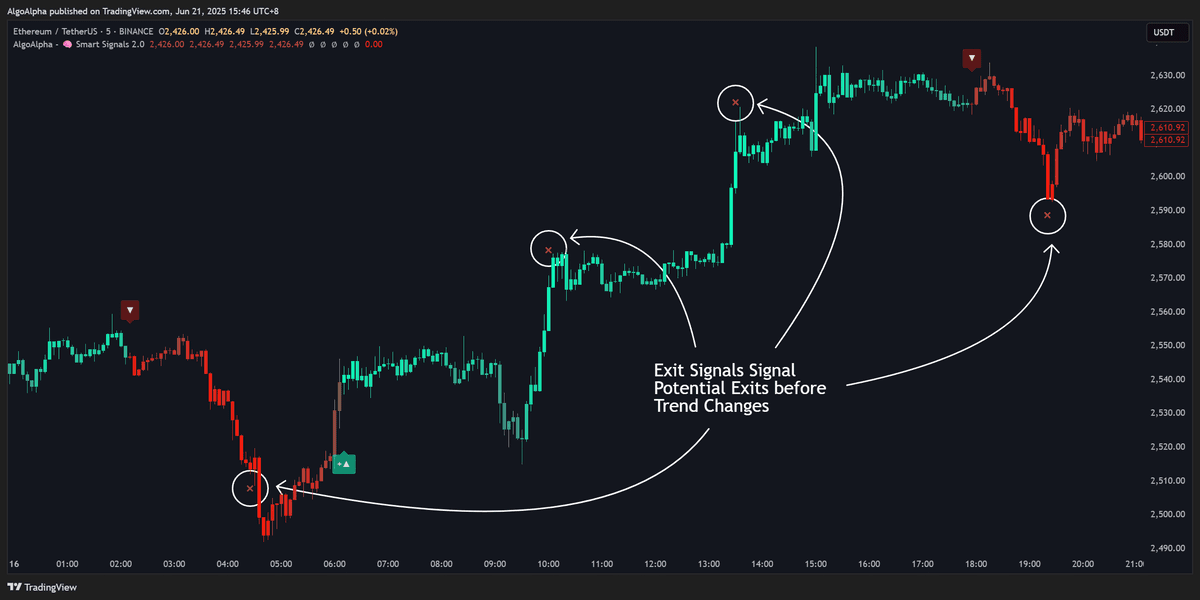
Exit Signal Types
Bullish Exit (Close Long)
A bullish exit signal appears when:
- Upward momentum begins to fade
- Price reaches an overextended level relative to the current trend
- Bearish divergence is detected between price and internal momentum indicators
This signal suggests taking profits on a long position or tightening your stop-loss.
Bearish Exit (Close Short)
A bearish exit signal appears when:
- Downward momentum starts to weaken
- Price reaches an oversold condition relative to the current trend
- Bullish divergence is detected
This signal suggests covering a short position or tightening your stop.
Using Smart Exits in Your Workflow
Full Exit Strategy
The simplest approach is to close your entire position when an exit signal appears:
- Enter a position based on a Smart Signal
- Monitor for an exit signal in the opposite direction
- Close the position when the exit signal triggers
Partial Exit Strategy
For more nuanced position management:
- Close 50% of your position when the first exit signal appears
- Move your stop-loss to breakeven on the remaining position
- Close the rest when a second exit signal appears or when a reversal signal triggers
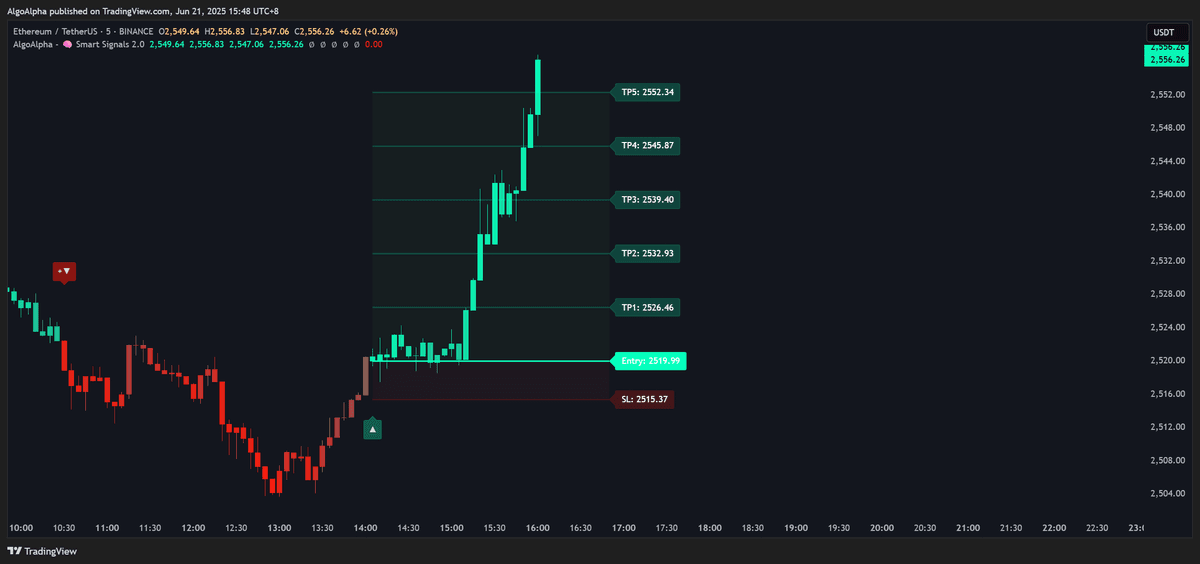
Trailing Stop Hybrid
Combine Smart Exits with a manual trailing stop:
- Enter based on a Smart Signal
- Trail your stop-loss behind the trend
- Use the Smart Exit as a hard exit if the trailing stop has not been hit yet
Smart Exits do not replace risk management. Always have a stop-loss in place regardless of exit signals. The exit signal is a suggested profit-taking point, not a guaranteed reversal.
Relationship with Smart Signals
Smart Exits and Smart Signals work together as a complete entry-to-exit system:
- Smart Signal (Buy) → Enter position
- Smart Exit (Bullish Exit) → Close or reduce the position
- Smart Signal (Sell) → Optionally reverse into the opposite direction
You do not need to wait for a new entry signal after an exit. Sometimes the best action after an exit is to stay flat until the next high-quality entry appears.
Configuring Smart Exits
Smart Exit behavior can be adjusted in the indicator settings:
- Toggle on/off — Enable or disable exit signals independently from entry signals
- Sensitivity — Adjust how early or late exit signals appear relative to price turning points
- Visual style — Customize the marker shape and color
See the Settings Reference for all available parameters.