
Support and Resistance
How ILPAC identifies and plots dynamic support and resistance zones derived from swing structure.
ILPAC generates support and resistance zones automatically based on the swing highs and swing lows identified by the Market Structure module. Rather than requiring manual drawing or fixed horizontal lines, these zones update dynamically as new price structure forms.
How It Works
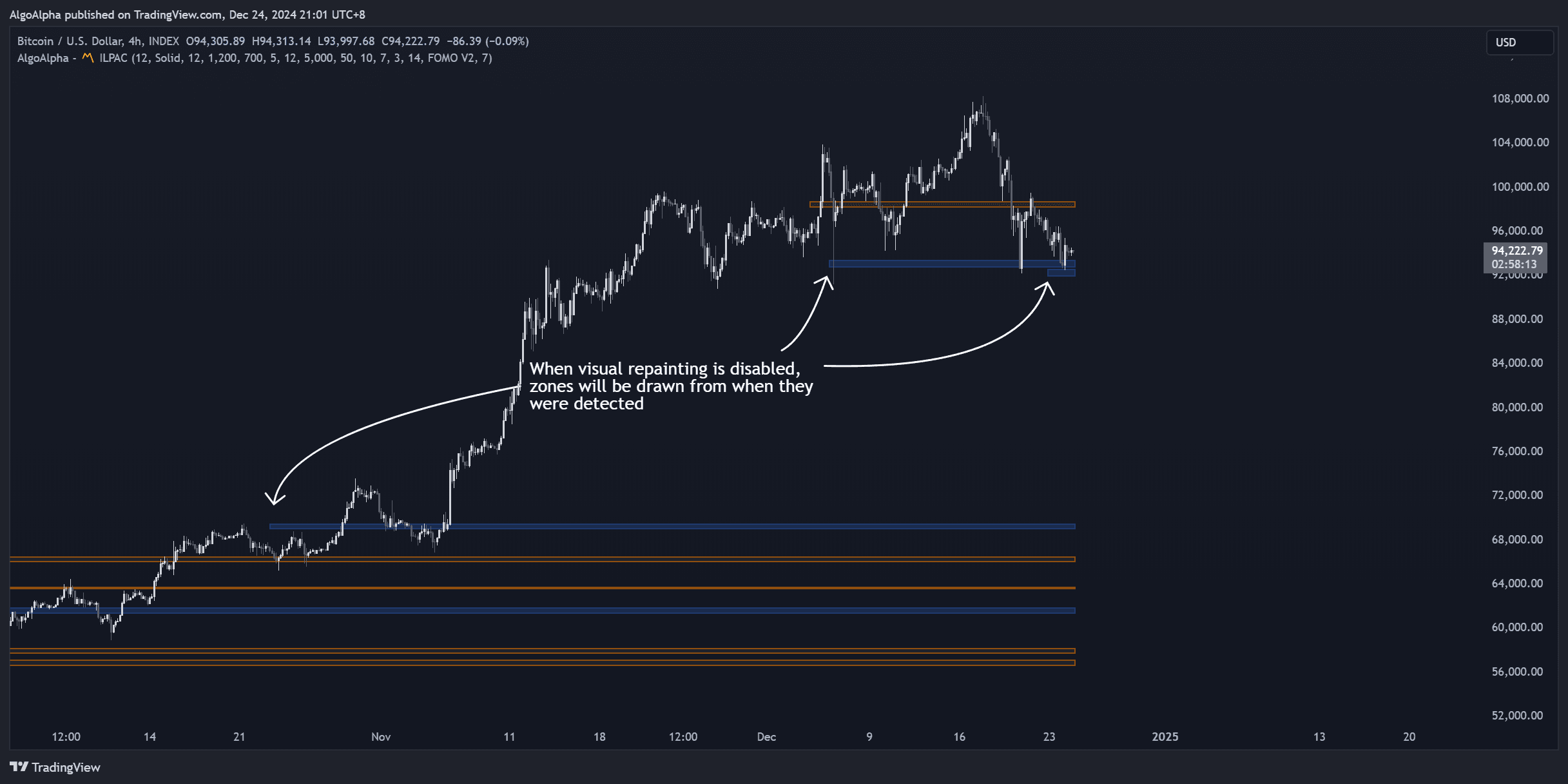
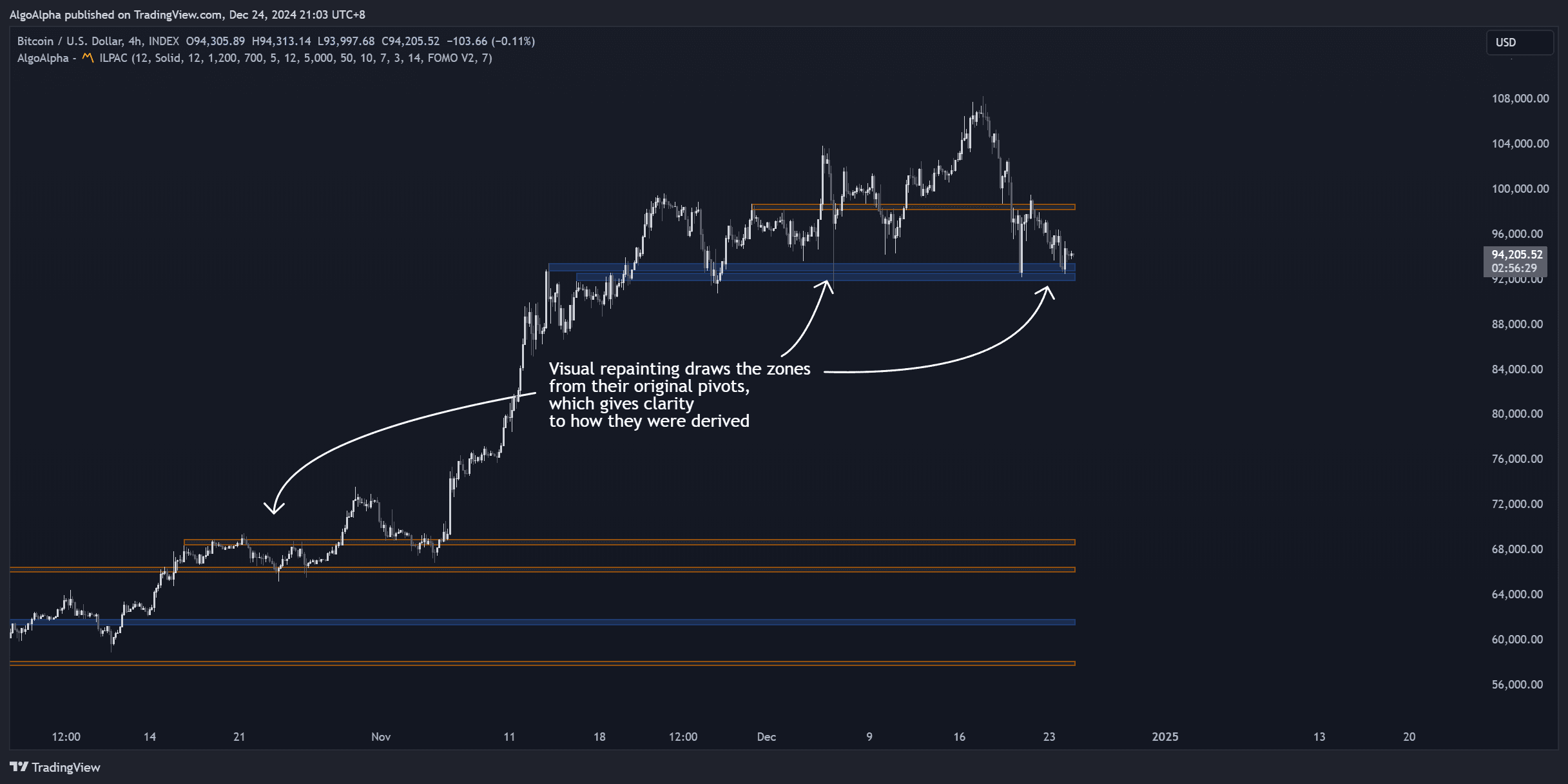
When the Market Structure module identifies a confirmed swing high or swing low, ILPAC extends a horizontal zone from that pivot point forward on the chart. These zones represent price levels where the market previously reversed, making them likely areas for future price reactions.
- Support zones are drawn at confirmed swing lows — areas where buying pressure previously overcame selling pressure
- Resistance zones are drawn at confirmed swing highs — areas where selling pressure previously overcame buying pressure
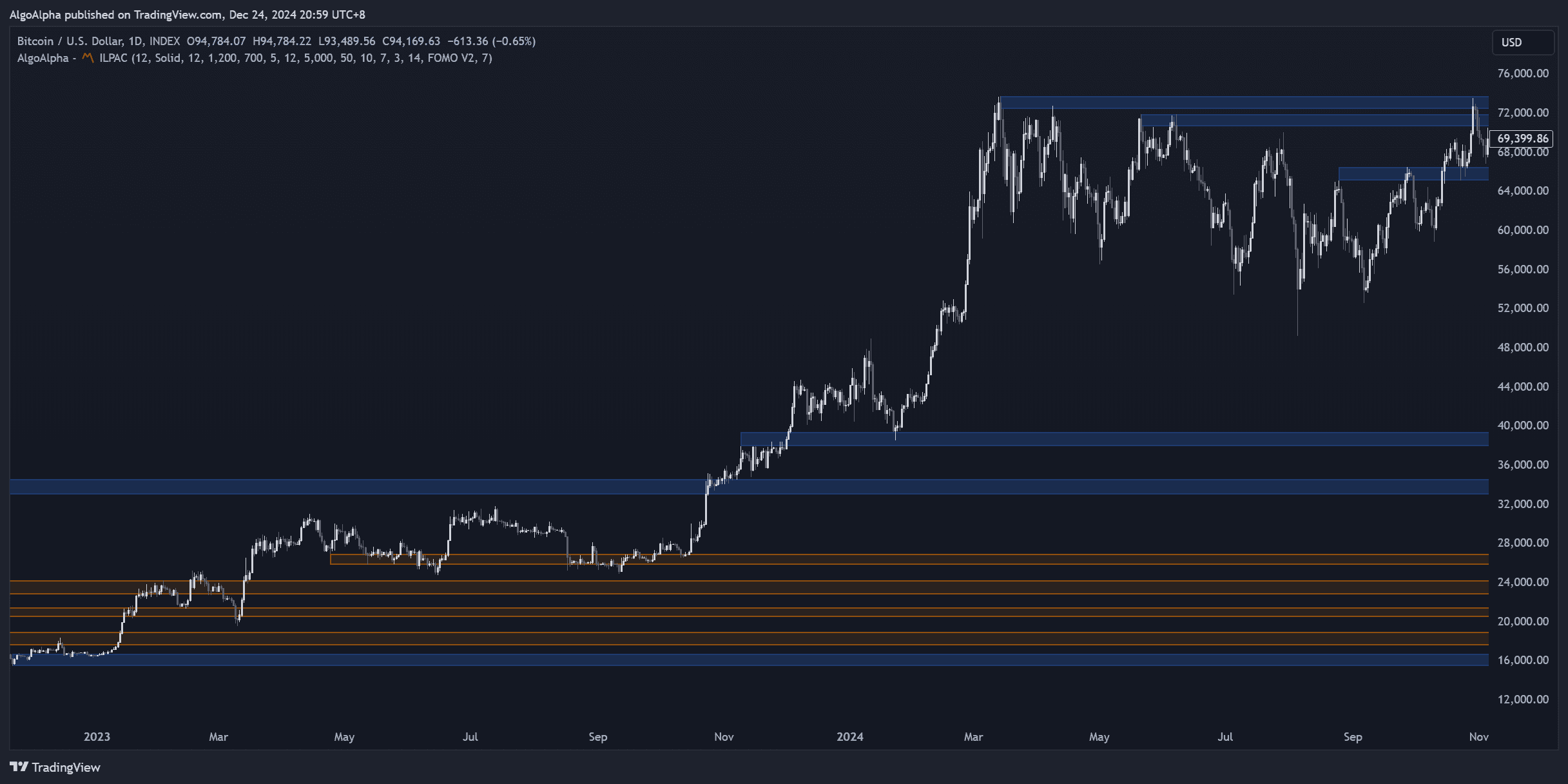
The zones have a visible width (not just a single line) to account for the fact that markets rarely react at exact price levels. The zone width adapts to recent volatility.
Zone Behavior
Support and resistance zones in ILPAC follow several behavioral rules:
| Behavior | Description |
|---|---|
| Auto-creation | New zones appear whenever a swing pivot is confirmed |
| Mitigation | When price revisits and passes through a zone, it is considered mitigated and can be visually dimmed or removed |
| Flip | A broken support zone may become resistance, and vice versa — ILPAC tracks this polarity change |
| Stacking | Multiple zones near the same price level create a stronger confluence area |
Using Support and Resistance Zones
Entry Timing
When price approaches a support zone during an uptrend (confirmed by BOS), this is a common area to look for long entries. The zone acts as a reference for where buyers are likely to step in.
Stop-Loss Placement
Placing stop-losses just beyond a support or resistance zone is a widely used technique. If the zone breaks, the trade thesis is invalidated.
Confluence with Other Modules
Support and resistance zones become more meaningful when they overlap with other ILPAC signals:
- A support zone that coincides with a Liquidation Heatmap cluster suggests a strong demand area
- A resistance zone at the same level as an algorithmic Trend Line provides dual confirmation
- A support zone tested alongside a FOMO Bubble signal may indicate exhaustion near that level
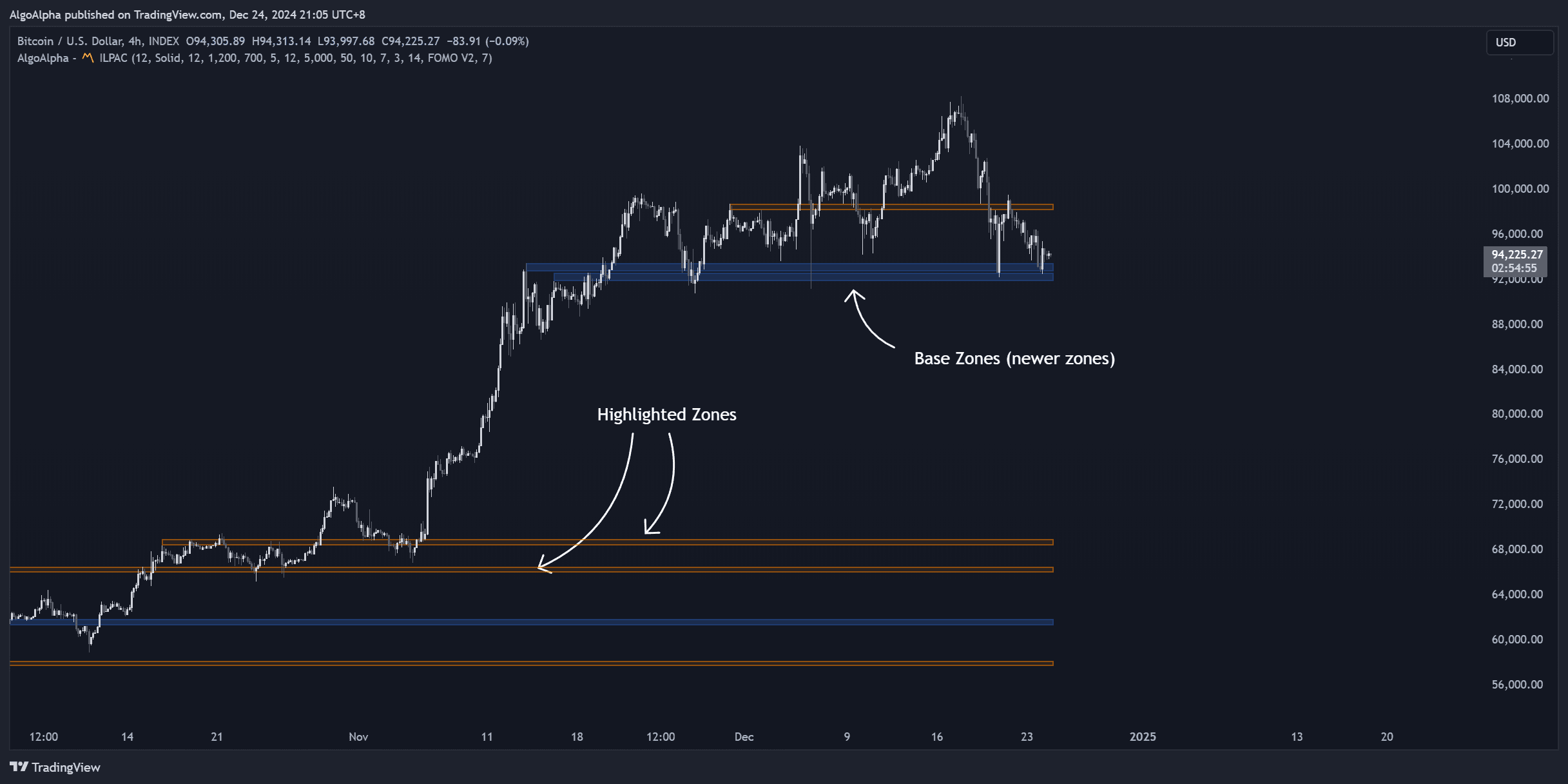
You can control the maximum number of zones displayed and their visual style in the ILPAC settings. Reducing the count keeps your chart cleaner on lower timeframes.
Settings
Key settings related to support and resistance zones:
| Setting | Description |
|---|---|
| Show S/R Zones | Toggle the display of support and resistance zones on or off |
| Zone Mitigation | Choose whether mitigated zones are removed, dimmed, or kept at full opacity |
| Max Zones | Limit the number of active zones shown at any time |
| Zone Colors | Customize colors for support (default: bullish color) and resistance (default: bearish color) |
See the Settings Reference for a complete list of configurable options.